
Kubernetes breaks traditional cost management. The same flexibility that makes containers powerful—their ability to scale dynamically, spin up in seconds, and share infrastructure—also makes it nearly impossible to answer a simple question: what does this application actually cost to run?
If you manage Kubernetes workloads, you have likely experienced this firsthand. Your cloud bill arrives, and you see charges for compute, storage, and networking. But connecting those costs back to specific applications, teams, or customers? That requires a level of visibility that most organizations simply do not have.
This gap is expensive. Industry research suggests that organizations waste up to 35% of their cloud spend on inefficiencies. For a company spending $1 million annually on cloud infrastructure, that represents $350,000 in preventable costs. Kubernetes cost management has become a critical discipline, and the framework for tackling it is called FinOps.
In this guide, you will learn why Kubernetes creates unique cost challenges, how to implement FinOps practices for container environments, and practical steps you can take today to gain control over your cloud spending.
Traditional cloud cost management is relatively straightforward. You provision a virtual machine, assign it to a team or project, and the monthly bill reflects exactly what that VM costs. Tags and labels map cleanly to line items, and cost allocation is a matter of basic arithmetic.
Kubernetes throws this model out the window.
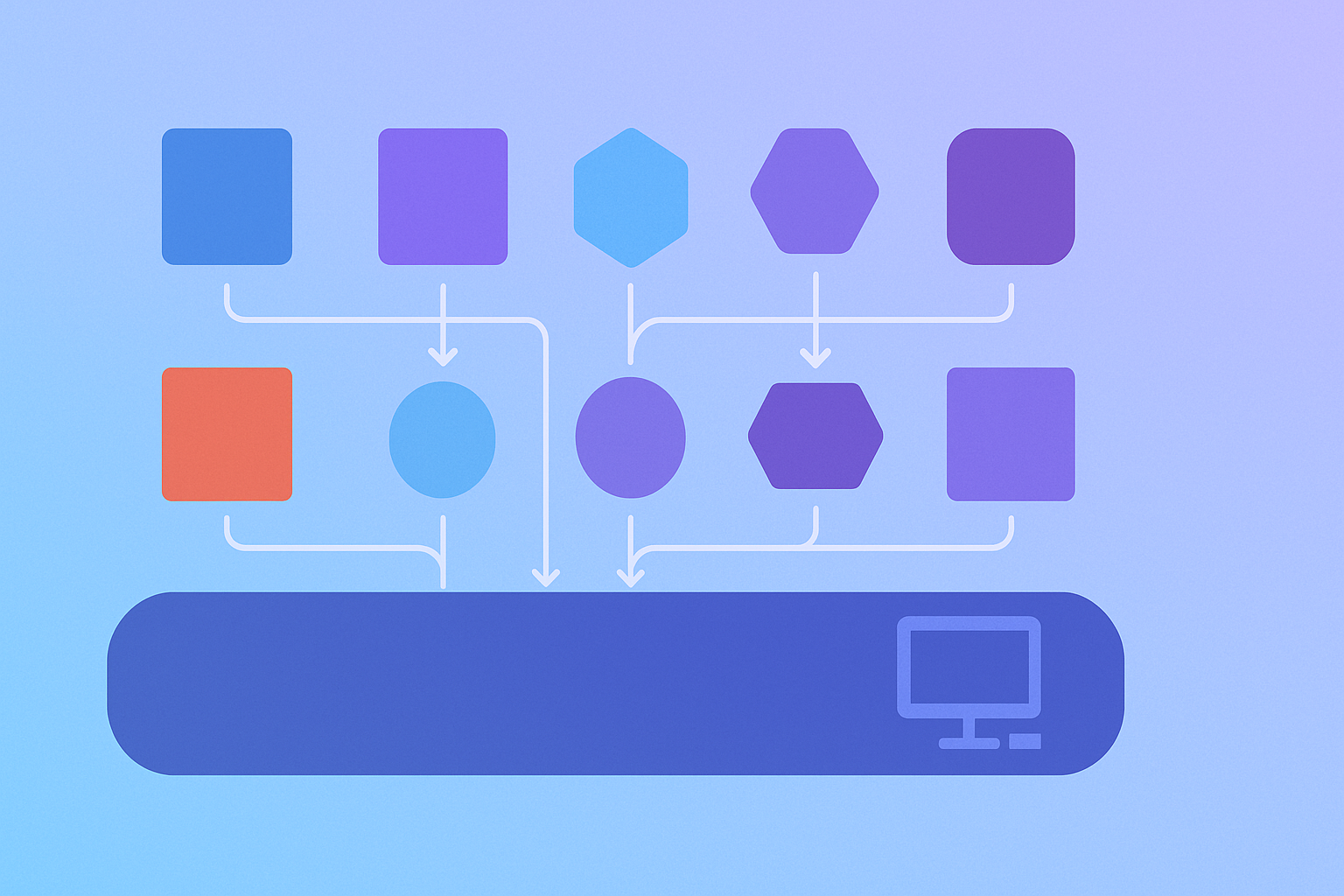
In a Kubernetes cluster, multiple applications share the same underlying nodes. A single EC2 instance might run containers from your web application, a background worker, a metrics collector, and several system services. When the bill arrives, you see the cost of that instance, but no indication of how much each workload contributed.
This problem compounds across teams. Your engineering organization might have five teams deploying to the same cluster. Without proper instrumentation, there is no way to answer basic questions like "How much does Team A spend compared to Team B?" or "Which application is our most expensive to operate?"
Engineers naturally err on the side of caution when requesting resources. If a service crashed once due to memory pressure, the instinct is to double the memory allocation. If deployments occasionally fail during traffic spikes, the response is often to increase CPU requests across the board.
This defensive behavior is rational from an individual perspective. No one wants their service to fail. But at the organizational level, it leads to massive waste. Studies show that the average Kubernetes cluster runs at 20-30% utilization, meaning 70-80% of provisioned capacity sits idle.
The disconnect between resource requests and actual usage is the single largest source of waste in container environments.
Cloud bills are retrospective. You receive your AWS invoice at the end of the month, summarizing costs that have already been incurred. By the time you notice that a misconfigured autoscaler spun up 50 extra pods for three weeks, the damage is done.
Kubernetes makes this worse because resources are ephemeral. A pod that ran for 72 hours consuming excessive memory might have been terminated weeks before you see its impact on costs. Traditional cloud cost tools are not built to understand resources that exist for seconds or minutes.
Key Takeaway: Kubernetes cost management is fundamentally different from traditional cloud cost management. Shared infrastructure obscures ownership, overprovisioning is endemic, and monthly billing cycles are too slow to catch problems. Effective cost control requires Kubernetes-native approaches.

FinOps, short for Cloud Financial Operations, is a cultural practice that brings together finance, technology, and business teams to drive accountability for cloud spending. The FinOps Foundation defines three core phases: Inform, Optimize, and Operate. Here is how each applies to Kubernetes.
The first step is understanding where your money goes. In Kubernetes, this means mapping cloud costs down to namespaces, deployments, and individual pods.
Cost allocation in container environments typically happens at one of three levels. Namespace-level allocation is the simplest approach and works well when teams operate in dedicated namespaces. Label-based allocation offers more flexibility but requires disciplined labeling practices across all workloads. Service or workload-level allocation provides the most granular view but requires specialized tooling.
The goal of this phase is to answer the question "Who is spending what?" with enough precision to drive accountability. You cannot optimize costs that you cannot see.
Once you have visibility, the next step is reducing waste. In Kubernetes, optimization primarily focuses on three areas.
Rightsizing means adjusting resource requests and limits to match actual usage. If a pod requests 1 GB of memory but never uses more than 200 MB, you are paying for 800 MB of unused capacity. Multiply this across hundreds of pods and the waste becomes substantial.
Idle resource elimination involves identifying workloads that consume resources without providing value. Development environments running 24/7, orphaned deployments from abandoned projects, and services with zero traffic are common culprits.
Compute optimization includes strategies like using spot instances for fault-tolerant workloads, scheduling non-critical jobs during off-peak hours, and selecting appropriate instance types for your workload profiles.
The final phase establishes ongoing practices to maintain cost efficiency. This includes anomaly detection to catch spending spikes early, budget enforcement to prevent runaway costs, and regular review cadences to keep cost optimization on the agenda.
Governance in Kubernetes often involves setting resource quotas at the namespace level, implementing pod disruption budgets to control scaling behavior, and establishing tagging standards that enable accurate cost attribution.
Key Takeaway: FinOps provides a structured framework for cloud cost management. In Kubernetes, the Inform phase focuses on mapping costs to workloads, the Optimize phase targets rightsizing and waste elimination, and the Operate phase establishes ongoing governance. Success requires all three working together.
Theory is useful, but you need concrete steps. Here is a practical roadmap for implementing Kubernetes cost management in your organization.
Before you can allocate costs, you need a consistent way to identify workloads. Define a standard set of labels that every deployment must include.
At minimum, you should require labels for team ownership, application name, and environment. Additional labels for cost center, project, and customer can enable more sophisticated chargeback models.
metadata:
  labels:
    team: platform
    app: api-gateway
    env: production
    cost-center: infrastructure
The key is consistency. A labeling strategy only works if every workload follows it. Consider implementing admission controllers or CI/CD checks to enforce compliance.
Start with the simplest form of cost allocation: namespace-level reporting. Most Kubernetes cost tools can aggregate spending by namespace out of the box.
Structure your namespaces to align with cost ownership. If each team owns a namespace, you immediately gain team-level cost visibility. If namespaces map to environments, you can compare production versus staging spend.
AWS now supports importing native Kubernetes labels as Cost Allocation Tags for EKS workloads, enabling granular cost attribution at the application level without third-party tooling.
Cost anomalies in Kubernetes can escalate quickly. A misconfigured horizontal pod autoscaler can spin up dozens of replicas in minutes. A memory leak can trigger out-of-memory restarts that cascade into node scaling events.
Configure alerts for significant deviations from baseline spending. Most monitoring solutions support threshold-based alerts, but percentage-based alerts often work better. A 50% increase in daily spending is concerning whether your baseline is $100 or $10,000.
Cost data is useless if it does not reach the people who can act on it. Make cost information visible to the engineers who make resource decisions.
This can be as simple as a weekly Slack message showing each team's spending, or as sophisticated as cost annotations in pull request reviews. The goal is to make cost a first-class consideration in engineering decisions, not an afterthought discovered months later.
Manual rightsizing does not scale. With hundreds of deployments, no one has time to review resource utilization for each one.
Vertical Pod Autoscaler (VPA) can automatically adjust resource requests based on historical usage patterns. Even if you do not enable automatic updates, VPA recommendations provide a starting point for rightsizing conversations.
Key Takeaway: Start with labeling standards and namespace-level visibility before attempting more sophisticated cost allocation. Establish anomaly detection early to catch problems before they become expensive. Make cost data visible to engineers and automate rightsizing recommendations to scale your efforts.

With visibility established, here are specific tactics for reducing Kubernetes resource costs.
Resource requests and limits are the foundation of Kubernetes cost management. Requests determine how much capacity is reserved for your pod, while limits define the maximum resources it can consume.
services:
  api:
    build: .
    port: 3000
    scale:
      count: 3
      cpu: 256
      memory: 512
      limit:
        cpu: 512
        memory: 1024
The gap between requests and limits represents your buffer for traffic spikes. Too large a gap means wasted capacity. Too small means performance degradation under load.
Analyze your actual resource usage at the 95th or 99th percentile. Set requests to cover normal operating conditions and limits to handle peak traffic. Avoid the temptation to set requests equal to limits, as this eliminates the flexibility that makes Kubernetes efficient.
Horizontal Pod Autoscaler (HPA) adjusts replica counts based on metrics like CPU utilization. When configured correctly, it matches capacity to demand automatically.
services:
  web:
    build: .
    port: 3000
    scale:
      count: 2-10
      targets:
        cpu: 70
        memory: 80
The key is setting appropriate targets. A CPU target of 70% means new pods spin up when average utilization exceeds 70%. Too low a target causes unnecessary scaling. Too high risks performance degradation before new capacity arrives.
Combine HPA with Cluster Autoscaler to handle node-level scaling. When pods cannot be scheduled due to insufficient capacity, Cluster Autoscaler adds nodes. When utilization drops, it removes them.
Spot instances offer 60-90% discounts compared to on-demand pricing, but they can be terminated with minimal notice. For Kubernetes workloads that can tolerate interruption, spot instances dramatically reduce costs.
Good candidates for spot instances include:
Poor candidates include databases, singleton services, and anything where interruption causes data loss or extended downtime.
A mixed capacity strategy, running a baseline on on-demand instances with burst capacity on spot, provides cost savings while maintaining reliability for critical workloads.
Idle resources are pure waste. Common culprits include:
Implement policies for automatic cleanup. Scale development namespaces to zero overnight. Delete preview environments after merge. Alert on services with sustained zero traffic.
Key Takeaway: Rightsize by analyzing actual usage at P95/P99 levels, not peak theoretical requirements. Use autoscaling to match capacity to demand automatically. Leverage spot instances for fault-tolerant workloads. Establish policies to eliminate idle resources before they accumulate.
Tools and tactics only work if your organization embraces cost accountability. Building a FinOps culture requires changes in how teams think about cloud spending.
Finance teams cannot optimize Kubernetes costs. They do not understand the technical decisions that drive spending. Engineers can optimize costs, but only if they see the impact of their decisions.
Build dashboards that show cost by team, application, and environment. Include cost data in deployment pipelines. Some organizations add cost estimates to pull request reviews, showing how proposed changes affect monthly spend.
The goal is not to make engineers feel guilty about spending. It is to give them the information they need to make informed tradeoffs between cost and other factors like performance and reliability.
Showback means sharing cost information without requiring teams to pay for their usage. Chargeback means actually billing teams or departments for their cloud consumption.
Start with showback. It creates visibility and awareness without the organizational friction of internal billing. Many organizations find that showback alone drives significant cost reduction, as teams naturally optimize when they see their spending.
Chargeback becomes valuable when you need stronger accountability or when cloud costs are a significant portion of product economics. If your SaaS platform needs to understand per-customer infrastructure costs, chargeback models provide that precision.
Cost optimization works best when it is collaborative, not punitive. Treat high spending as a problem to solve together, not a failure to criticize.
Frame conversations around efficiency rather than reduction. "How can we serve more traffic with the same resources?" is more constructive than "Why are you spending so much?" Focus on waste elimination before asking teams to sacrifice performance or reliability.
Celebrate wins publicly. When a team reduces their infrastructure costs by 30%, share that success widely. Recognition reinforces the behaviors you want to see.
Cost optimization is not a project with an end date. It requires ongoing attention.
Establish regular review cadences. Monthly cost reviews at the team level help catch drift early. Quarterly reviews at the organization level identify systemic issues and opportunities. Annual planning should include infrastructure cost projections based on growth expectations.
Key Takeaway: FinOps culture matters more than FinOps tools. Make costs visible to engineers who make resource decisions. Start with showback before implementing chargeback. Frame optimization collaboratively, not punitively. Establish regular review cadences to maintain momentum.
Everything discussed so far assumes you are managing Kubernetes directly. But what if much of this complexity simply went away?
Convox takes a different approach to container deployment. Instead of exposing the full complexity of Kubernetes, it provides an opinionated platform layer that handles infrastructure decisions automatically. This architectural choice has significant implications for cost management.
Convox Cloud Machines offers fixed monthly pricing tiers ranging from $12 to $100 per month. You know exactly what you will pay before you deploy, eliminating the bill shock that plagues traditional cloud usage.
This predictability transforms budget conversations. Instead of forecasting based on uncertain usage projections, you simply count applications and tiers. Finance teams appreciate the clarity, and engineering teams appreciate not having to justify cost overruns from traffic spikes.
Convox's deployment model prevents many common overprovisioning mistakes. Resource configurations are explicit and visible in your convox.yml file:
services:
  web:
    build: .
    port: 3000
    scale:
      count: 2
      cpu: 256
      memory: 512
This transparency makes it easy to review and adjust resource allocations. There are no hidden configurations buried in Kubernetes manifests. What you see in your configuration is what you get.
Convox Rack deploys each application in its own namespace, creating natural boundaries for cost attribution. You do not need elaborate labeling strategies or specialized tooling to answer "How much does this application cost?"
For organizations with compliance requirements like HIPAA, SOC 2, or FedRAMP, Convox Rack provides self-hosted deployment on your own cloud infrastructure. You maintain full control while benefiting from the platform's operational simplicity.
FinOps requires ongoing attention. Someone needs to monitor dashboards, investigate anomalies, and implement optimizations. This operational overhead has real costs, even if they do not show up on your cloud bill.
Convox reduces this overhead by handling infrastructure optimization automatically. The platform manages node scaling, container placement, and resource allocation. Your team focuses on application development rather than infrastructure tuning.
Key Takeaway: Convox sidesteps much of the FinOps complexity through its platform approach. Predictable pricing eliminates bill shock. Opinionated defaults prevent overprovisioning. Natural cost boundaries simplify attribution. Reduced operational overhead frees your team to focus on building products.
Kubernetes cost management is challenging, but it is not insurmountable. The key is approaching it systematically rather than reactively.
Start with visibility. You cannot optimize costs you cannot see. Implement labeling standards, establish namespace-level cost reporting, and make spending data visible to the engineers who make resource decisions.
Then focus on the high-impact optimizations. Rightsize resource requests based on actual usage patterns. Implement autoscaling to match capacity to demand. Use spot instances for fault-tolerant workloads. Eliminate idle resources before they accumulate.
Finally, build the organizational practices that sustain cost efficiency over time. Create feedback loops with engineering teams. Establish regular review cadences. Frame optimization collaboratively rather than punitively.
Organizations with mature FinOps practices report saving 20-40% on their cloud infrastructure costs. For a growing company, those savings can fund additional engineering headcount, product development, or customer acquisition.
If you are tired of wrestling with Kubernetes cost complexity, consider whether a platform approach might simplify your infrastructure economics. Convox Cloud Machines offers predictable per-application pricing that makes budgeting straightforward. Your first application deploys in minutes, and you will know exactly what it costs from day one.
Ready to see how it works? Get started free and deploy your first app in minutes. Check out our example applications to see common deployment patterns, or follow along with our getting started video tutorials.
For enterprises with compliance requirements or complex infrastructure needs, reach out to our team to discuss how Convox Rack can help.


