

If you run a Convox v2 rack on AWS and suddenly started seeing this error during deploys, scaling changes, or rack updates, you are not alone:
ERROR: ValidationError: Tags contain duplicate keys; tag keys must be unique
status code: 400
This error appeared suddenly for users without any changes on their end. The cause is a bug in how Convox v2 racks construct CloudFormation update payloads, combined with AWS rolling out stricter tag validation across regions.
This post explains what happened, who is affected, and how to fix it. If you are already locked out and cannot run convox rack update, we have a manual workaround that will get you unblocked.
Convox automatically applies managed tags like Type=rack and System=convox to your rack's CloudFormation stack. The bug in the updateStack function caused these tags to be sent twice in the update payload when they already existed on the stack, which is the normal state for v2 racks.
CloudFormation previously tolerated duplicate tag keys silently. AWS is now rolling out stricter validation that rejects them with the error shown above. The first confirmed region to enforce this was us-west-1, but AWS is expected to roll this out to all regions over time. The timeline is unknown.
This affects any operation that triggers a CloudFormation stack update: deploys, parameter changes, scaling changes, and even convox rack update itself.
You are affected if:
You do not need to have set custom tags yourself. The duplicate comes from Convox's own managed tags being passed alongside the existing stack tags. If your rack is in a region that has not yet received the stricter validation, you are not currently affected, but you should update proactively since the rollout timeline is unknown.
PR #3778 fixes this bug. The updateStack function now properly deduplicates tags by loading existing stack tags into a map, merging input tags as overrides, and building a clean sorted tag slice.
The fix is included in release 20260316122903.
If your rack is in a region that has not yet started enforcing the stricter validation, or if you have not attempted any stack-updating operations since the enforcement began, you can simply update your rack:
convox rack update 20260316122903 -r your-rack-nameOnce updated, you are protected from this issue. Skip to the verification section below to confirm the fix is applied.
Here is the catch-22: if your rack is already in a region enforcing the stricter validation, running convox rack update will fail with the same duplicate tags error. The Convox API path to update the rack triggers a CloudFormation stack update, which hits the validation error before the new code can take effect.
We understand this is frustrating. You may have already tried several things that did not work. The solution is to bypass the Convox API entirely and update the CloudFormation stack directly through the AWS Console.
This workaround has been verified with real customers and is safe when followed exactly as described. The end result is identical to running convox rack update. You are simply changing the Version parameter through a different interface.
Step 1: Open your rack's CloudFormation stack
Go to the AWS Console and navigate to CloudFormation, then Stacks. Locate your rack's main stack. It will be named after your rack. For example, if your rack is called "production", the stack is named "production". Click on it to open the stack details.
Step 2: Start a direct stack update
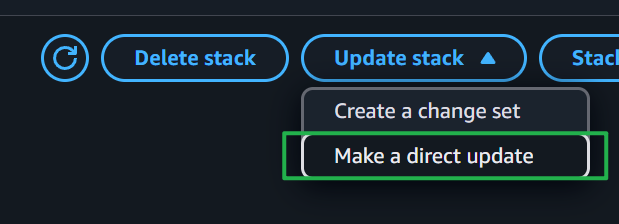
Click the "Update stack" dropdown button at the top of the page and select "Make a direct update".
Do NOT select "Create a change set." You need a direct update.
Step 3: Use the existing template
On the "Prepare template" page, the default option "Use existing template" should already be selected. Leave it selected and click Next.
Do not upload a new template or specify a different template source.

Step 4: Update the Version parameter
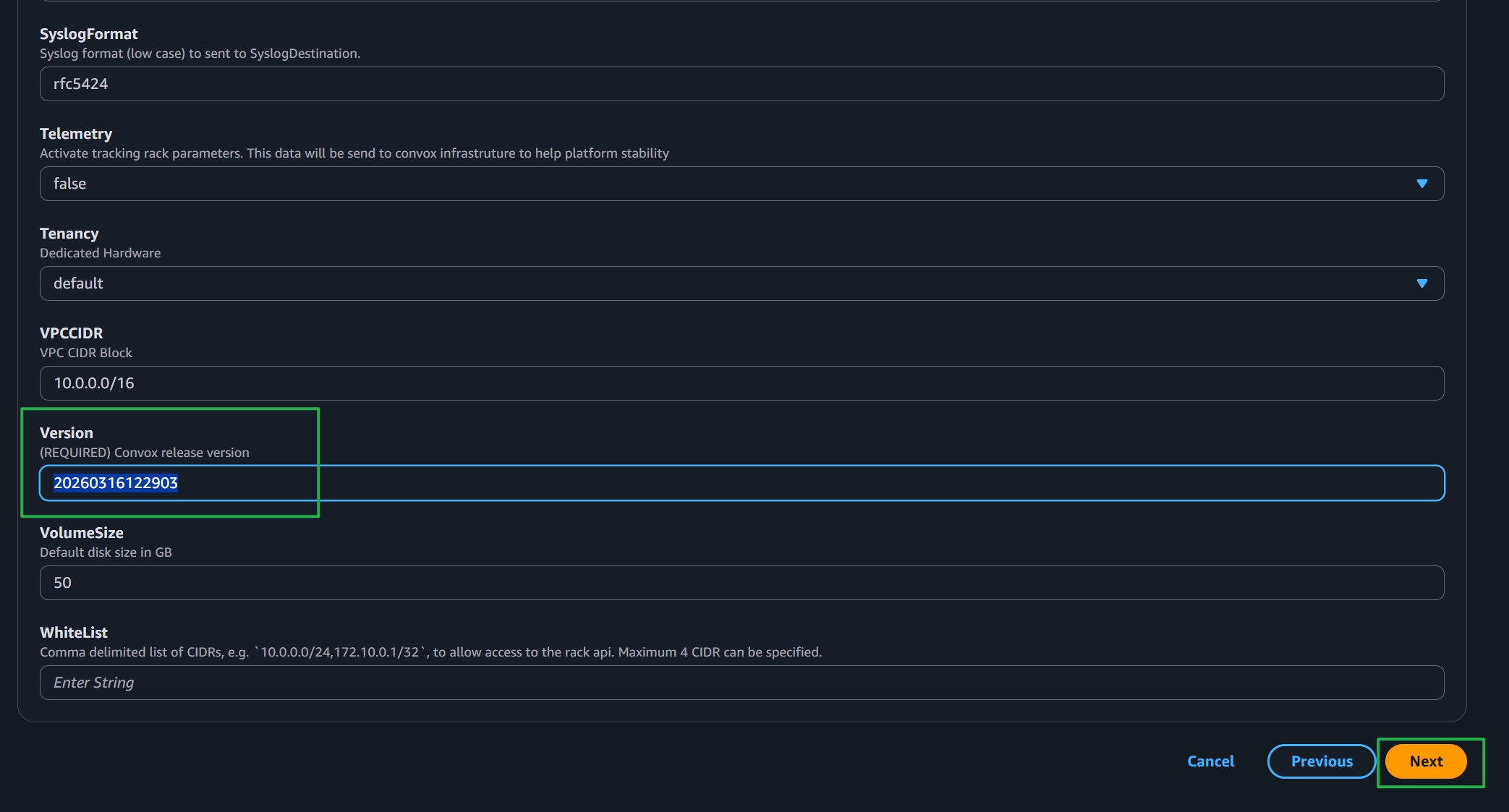
On the parameters page, scroll down to find the "Version" parameter. Replace the current value with the fixed release version:
20260316122903Do NOT change any other parameters. Leave everything else exactly as it is.
Click Next.
Step 5: Click through the remaining pages
Leave all other settings as they are. Click Next through the configure options page.
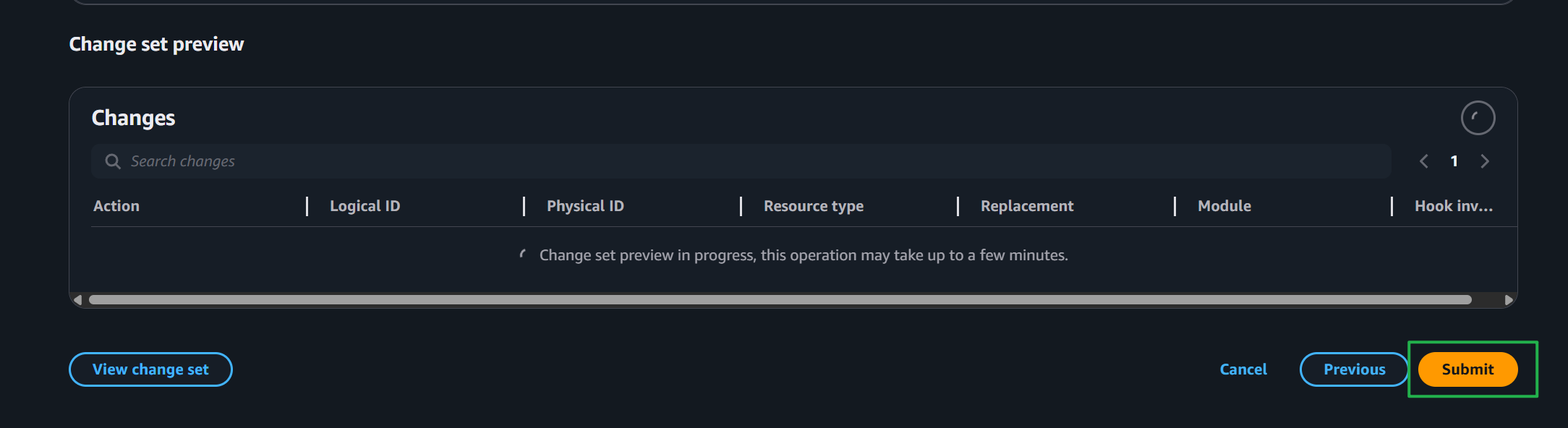
On the a review page, you must check the box that says "I acknowledge that AWS CloudFormation might create IAM resources." If you do not check this box, the update will fail to submit.

Then click Submit.
Step 6: Wait for the update to complete
The stack will show UPDATE_IN_PROGRESS. Wait for it to reach UPDATE_COMPLETE. This typically takes a few minutes. You can monitor progress in the Events tab of the stack.
Do not attempt any other rack operations while the update is in progress.
Step 7: Verify
Once the stack update completes, verify the fix by running:
convox rack -r your-rack-nameConfirm the version shown is 20260316122903 or newer. You can also run:
convox rack params -r your-rack-nameBoth commands should work without errors. Your deploys and other operations will work normally from this point forward.
After updating through either method, run:
convox rack -r your-rack-nameConfirm the version is 20260316122903 or newer. Then test a deploy to confirm everything is working:
convox deploy -a your-app-name -r your-rack-nameIf the deploy completes without the duplicate tags error, you are all set.


