
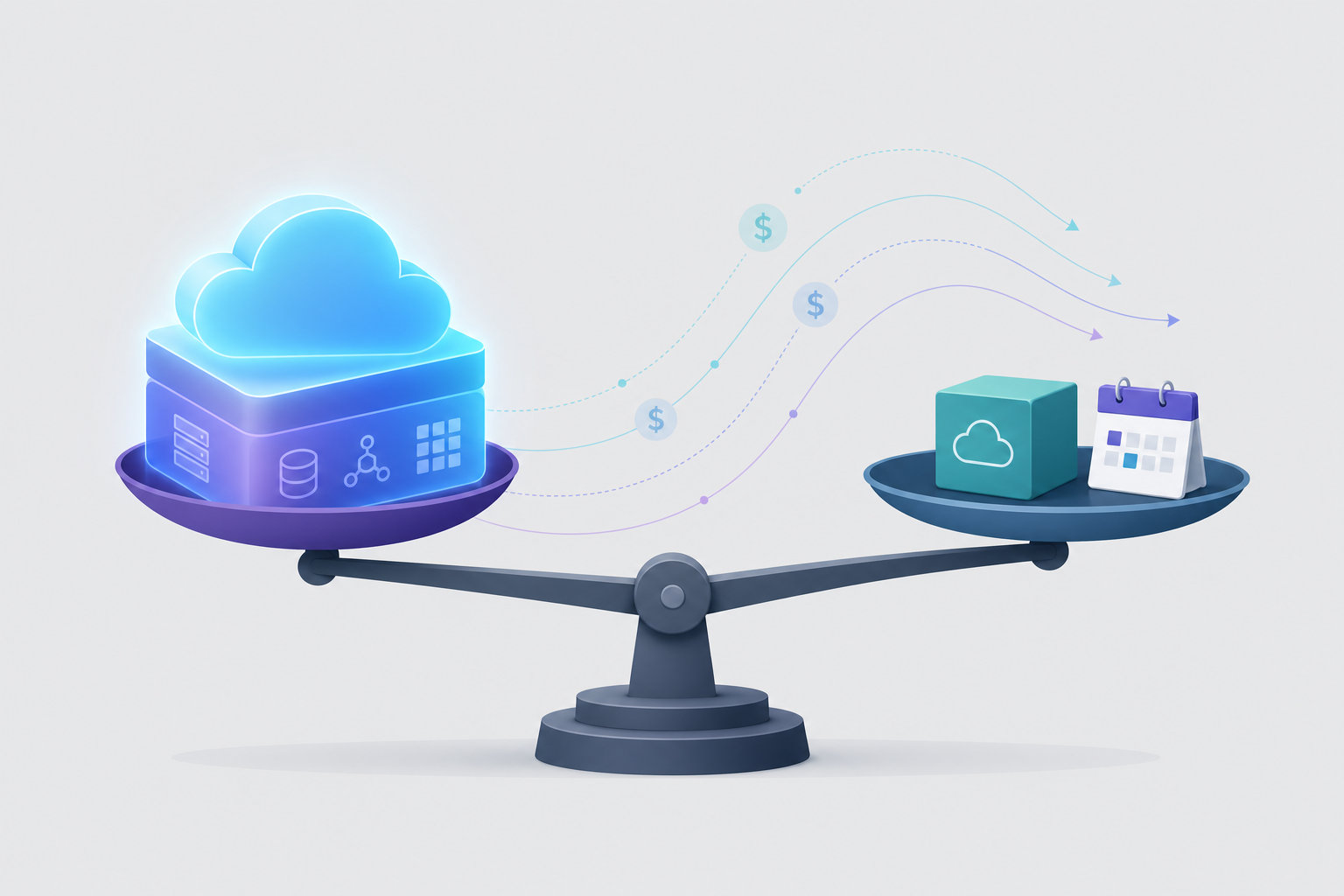
Somewhere in your next board deck there is a line that says hosting costs are scaling faster than revenue. Every new service your team ships adds another instance to the managed platform bill, and the bill grows in lockstep with the product rather than with the customer base. When someone finally proposes the obvious fix, running in your own AWS account, the proposal arrives bundled with a job requisition: a platform engineer, maybe two, to run the Kubernetes cluster that self hosting supposedly requires.
Both halves of that framing are wrong. The cost comparison most teams run is managed platform pricing versus AWS infrastructure plus a fully loaded platform salary, and that second term is doing most of the damage. If the platform layer absorbs the Kubernetes operations, the salary term shrinks to a fraction of an existing engineer's week, and the question stops being whether you can afford to self-host and becomes when the move pays for itself. This post walks that argument, with the actual commands and pricing underneath it, and names the operational work that genuinely remains when the infrastructure is yours.
The reasoning goes like this. Running self hosted apps in your own AWS account means a Kubernetes cluster, because that is what production container orchestration looks like in 2026. A Kubernetes cluster means someone has to provision it, patch it, configure ingress and TLS, wire up deployments and rollbacks, manage secrets, and answer the page when a rollout wedges at 2am. That someone is a platform engineer, and at a company with five to thirty developers and zero to one ops hires, that someone does not exist yet. So the real cost of self-hosting is AWS plus a hire, and the hire makes the whole exercise more expensive than staying on the managed platform. Decision deferred, bill keeps growing.
The flaw is the assumption that the Kubernetes layer must be staffed internally. It must be operated, certainly. But operated and staffed are different things, the same way your managed platform's infrastructure is operated by someone who is not on your payroll. The question worth asking is whether you can get the ownership benefits of your own AWS account, direct billing, your own VPC, your data inside your own boundary, access to reserved instances and savings plans, while the platform work stays with a vendor.
That is the specific gap Convox fills. A Rack is a complete platform environment that installs into your AWS account and runs on EKS underneath, but your developers never touch the Kubernetes surface. They deploy with convox deploy, check processes with convox ps, and read logs with convox logs, the same deployment ergonomics people searching for "Heroku on AWS" are describing: git-push-style simplicity, except the compute, the data, and the bill all live in an AWS account you control. If you have never used Heroku, the model is simply this: a manifest describes your services, one command builds and ships them, and the platform handles everything between your Dockerfile and a load-balanced HTTPS endpoint.
To evaluate the hire-or-not question honestly, you need the task list that a self-hosted platform generates, and then you need to know which items the platform layer absorbs. Here is what a Convox Rack takes off your plate, drawn directly from the documented product behavior rather than from a brochure.
convox rack install aws (or a click in the Console) provisions the EKS cluster, VPC, networking, and registry via Terraform in roughly 10 to 20 minutes. Nobody on your team writes cluster bootstrap code.convox scale or autoscale on CPU and memory targets in the manifest. No HorizontalPodAutoscaler YAML.convox logs streams application logs, convox ps lists processes, and convox exec opens a shell into a running one.convox rack update applies platform and Kubernetes version updates, designed for zero downtime, while your containers keep running.Hold that list against the mental job description for the platform hire. Cluster builds, deployment pipelines, ingress configuration, certificate management, autoscaling policy, and upgrade orchestration are most of it. What remains is genuinely yours, and we will name it precisely in a later section, but it does not resemble a full-time role at this company size. It resembles a recurring line item on an existing engineer's calendar.
This is also the honest answer to "do I need Kubernetes" as a skills question. Kubernetes is present, it is standard EKS, and that matters for avoiding lock-in, but it is not the daily interface. For the rare escalation where you want to see the raw cluster, convox rack kubeconfig gives you scoped kubectl access through a proxy. In practice that is a break-glass tool, not a prerequisite for shipping on Monday.

The strongest version of this plan is not a leap, it is a staircase, because Convox ships both rungs with one workflow. Convox Cloud Machines is fully managed hosting: no cloud account, no infrastructure, a machine provisioned in under a minute. Pricing is fixed per machine: X-Small at $12 per month for 0.5 vCPU and 1 GB (with 250 free hours per month), Small at $25, Medium at $75, Large at $150, with build resources included. For a concrete end-to-end example of what a managed deploy looks like, see our walkthrough of deploying n8n on Convox Cloud.
A self-hosted Rack is the second rung: the same platform installed into your own AWS account, where you pay AWS directly for the infrastructure and Convox adds no markup on it. Your cost levers become AWS's cost levers, instance selection, spot capacity, reserved instances, savings plans, which is exactly the point at which infrastructure spend stops being a flat vendor rate and starts being something your finance team can actually negotiate. The bring-your-own-cloud model is also what unlocks the control and compliance properties that matter later: your data never leaves your account, your VPC, your IAM boundary. The two pricing models are laid out side by side on the Convox pricing page.
Here is the documented comparison between the two, which is the factual backbone of the staging decision:
| Dimension | Convox Cloud Machines | Self-Hosted Rack |
|---|---|---|
| Setup time | Under 1 minute | 10 to 20 minutes |
| Cloud account required | No | Yes, your own AWS account |
| Infrastructure management | Convox-managed end to end | Convox manages the platform layer; you own the account |
| Pricing model | Fixed per machine: $12 / $25 / $75 / $150 per month | You pay AWS directly; no Convox markup on infrastructure |
| Kubernetes access | Restricted | Full access when you want it |
The reason the staircase works is that the artifact your team maintains, the convox.yml manifest, is identical on both rungs. A web service, a worker, and a Postgres database are described once:

resources:
  database:
    type: postgres
services:
  web:
    build: .
    port: 3000
    health: /health
    resources:
      - database
  worker:
    build: .
    command: bin/worker
    resources:
      - database
On a Cloud Machine you deploy it with convox cloud deploy -i my-machine -a my-app. On a self-hosted Rack you deploy it with convox deploy -a my-app. The difference is a command namespace, not a replatforming project. That makes the graduation trigger a business decision you can make calmly: move when the managed bill crosses what the equivalent AWS footprint would cost, or when a compliance requirement demands that data stay inside your own account, or when you want AWS-native cost levers. Until then, the managed rung is cheap, fast, and running the exact manifest you will carry with you.
The fear hiding inside the hiring question is usually about the developers, not the infrastructure: if we move to our own AWS account, does every product engineer now need to understand pods, ingress controllers, and Helm charts? The answer, concretely, is no, because the Rack keeps the platform interface identical to the managed one. A deploy looks like this:
$ convox deploy -a my-app
Packaging source... OK
Uploading source... OK
Starting build... OK
...
Build:   BABCDEFGHI
Release: RBCDEFGHIJ
Promoting RBCDEFGHIJ... OK
Behind that single command: the image builds, a release is created and promoted, the rolling update brings new processes up only after they pass their health checks, and a failed rollout reverses automatically. Day-to-day debugging stays in the same vocabulary: convox ps to list processes, convox logs to stream output, convox exec web bash to shell into a running process, convox run web bin/migrate for one-off tasks like migrations. Environment and secrets are managed with convox env set, which creates a new release you promote when ready. A bad release rolls back with convox releases rollback.
None of this requires a developer to know what a Deployment or a Service object is in Kubernetes terms. The cluster is real, it is standard EKS in your account, and convox rack kubeconfig will hand you scoped kubectl access when you genuinely need to look underneath. But the daily loop is build, deploy, inspect, roll back, expressed in application vocabulary. That is the whole argument in one sentence: your developers' relationship to the platform does not change when the account ownership does.
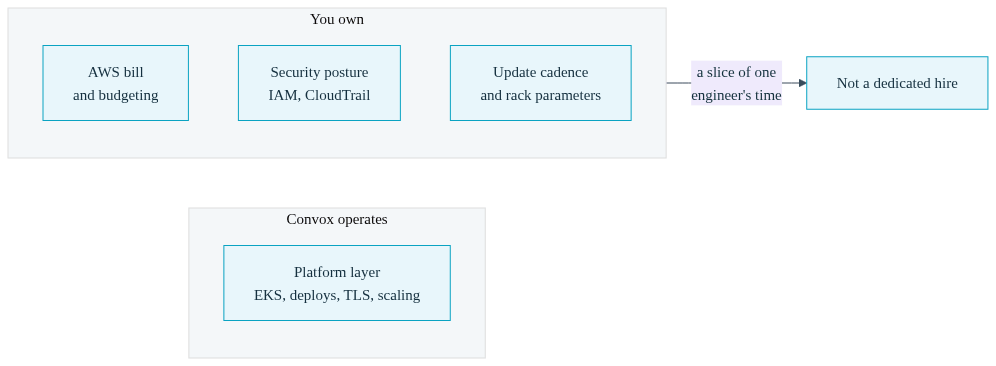
Here is the trade-off, stated plainly, because a post that pretends self-hosting is free of obligations is a post you should not trust. With a self-hosted Rack you own the AWS account, and ownership is not decorative. You own the AWS bill and the budgeting discipline around it; the upside of direct AWS pricing comes with the responsibility of watching it, and tools like cost tracking and per-app budget caps help, but the invoice has your company's name on it. You own the account-level security posture: IAM users and roles, root account hygiene, CloudTrail, and whatever organizational controls your compliance story requires. The Rack inherits the controls of your AWS account, which is precisely why the model works for regulated workloads, and also precisely why the account configuration is your job.
You also own the operational cadence of the platform itself. Rack updates are one command, but someone schedules them, reads the release notes, runs staging before production, and steps through minor versions in sequence rather than skipping them, as the rack management docs describe. You choose rack parameters like node instance types and capacity modes, and you revisit them as the workload grows. And when something does break in an unusual way, you are the first responder, with convox deploy-debug and the troubleshooting guide as your tooling, and Convox support behind that.
That is real work and we will not pretend otherwise. What it is not is a dedicated role. It is a maintenance rhythm that an existing senior engineer carries alongside product work: scheduled updates, periodic parameter reviews, and occasional incident response on a platform designed to roll back automatically when deploys fail. Run the arithmetic with your own salary data. Compare the fully loaded cost of the platform hire you were told was mandatory against a slice of one engineer's time plus your actual AWS consumption, and the shape of the decision changes. The honest comparison was never managed bill versus AWS bill plus a salary. It is managed bill versus AWS bill plus a fraction of a calendar.
Not with a platform layer that absorbs the Kubernetes operations. A Convox Rack provisions EKS via Terraform, handles rolling deploys, routing, TLS, and scaling, and updates with one command. What remains for your team is owning the AWS account, its security posture, and scheduling platform updates, a recurring task for an existing engineer rather than a dedicated hire at this stage.
No. The daily interface is convox deploy, convox ps, convox logs, and convox exec, all expressed in application terms rather than cluster terms. Standard Kubernetes runs underneath on EKS, and convox rack kubeconfig provides scoped kubectl access for rare escalations, but kubectl is a break-glass tool, not the deployment workflow.
Yes, and the same convox.yml runs in both places, which makes the move a configuration change rather than a rewrite. Start on a Cloud Machine with no cloud account required, then install a Rack into your AWS account when cost, compliance, or control justifies it, and carry the manifest and workflow with you unchanged.
Only the command namespace. On a Cloud Machine you run convox cloud deploy -i machine -a app, targeting a machine you selected in the Console. On a self-hosted Rack you run convox deploy -a app against the Rack in your AWS account. The manifest, build process, releases, rollbacks, and log streaming behave the same way on both.
You do, directly to AWS, through your existing AWS billing relationship. Convox adds no markup on that infrastructure, so your spend tracks AWS list pricing and whatever discounts you negotiate, including reserved instances and savings plans. Convox Cloud Machines are priced differently: Convox sets a fixed monthly rate per machine size, from $12 to $150.
If the managed hosting line in your budget is already under review, run the pilot this sprint rather than next quarter. Pick one non-critical app, deploy it to a Cloud Machine in an afternoon, and confirm the workflow fits your team. Then scope step two: install a Rack into a sandbox AWS account using the Getting Started Guide and watch the 10 to 20 minute install produce a working platform with no cluster bootstrap code written by anyone on your team.
Create a free account and deploy your first app today. If compliance requirements or a larger migration are part of the picture, talk to our team about the right staging plan for your workloads.


